Yes, you can build a website with Gemini, for free and with a preview in Canvas. Gemini only shares it as a link on gemini.google.com, without an address of its own. Below: how to get the code out of Canvas, which prompts work, and what to watch for on privacy.
What Gemini can do on its own
- Canvas opens next to the chat when Gemini builds a page. At the top you switch between Code and Preview. This works on the free plan.
- Share creates a public link
g.co/gemini/share/…showing the chat and the canvas on gemini.google.com. According to Google, visitors can also change data used by the app. You revoke the link in settings under "Your public links". - Export offers "Google Sites" and "Download code".
- The share link has no address of its own, no password and no analytics.
Step by step
- Paste one of the prompts below on gemini.google.com. "In Canvas" in the prompt makes the page show up on the right.
- If the canvas sits small under the answer, enlarge it with the arrow at the top right. Preview shows the page.
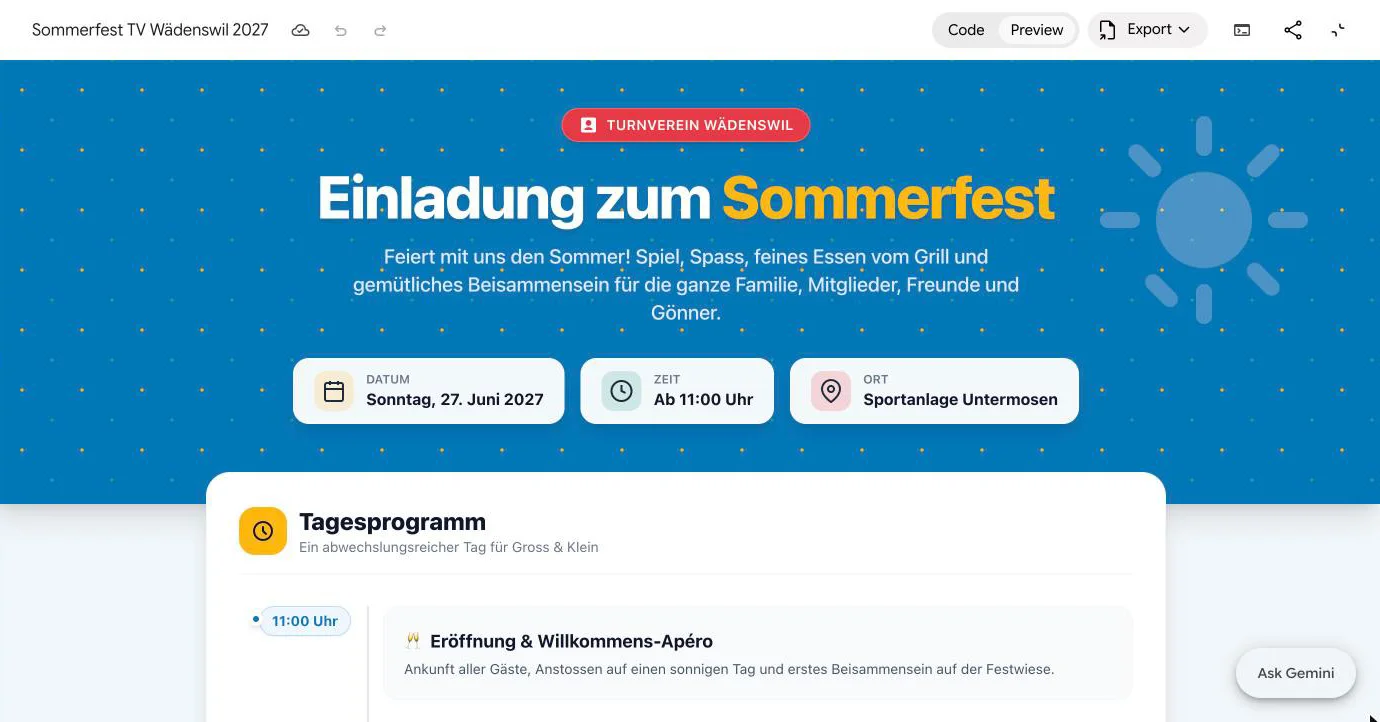
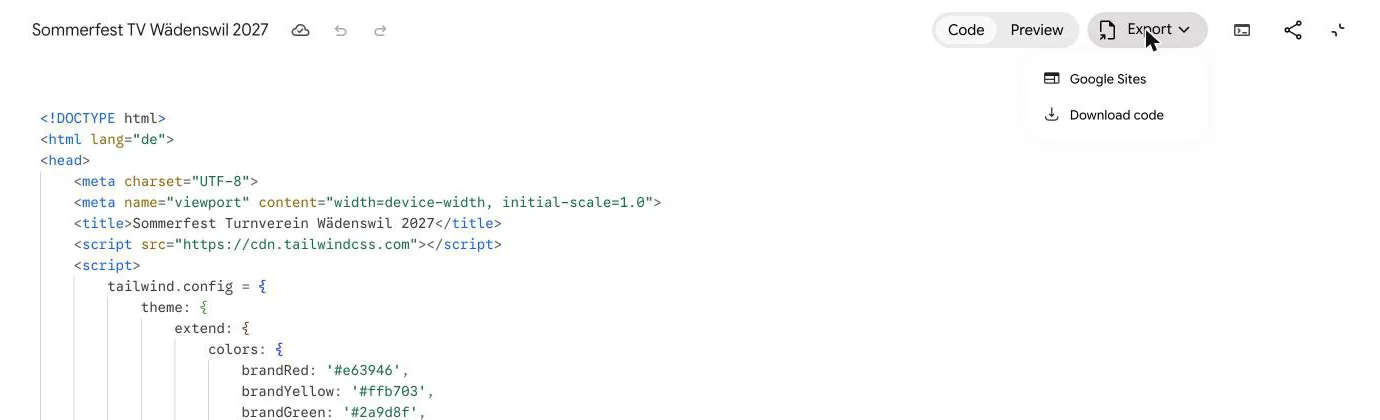
- Switch to Code, click into the code, select all with Cmd+A (Windows: Ctrl+A) and copy. In the editor this selects only the code. Or use Export and Download code.
- Paste the code or drop the file at app.getsharepa.ch/neu and check the preview.
- Pick an address such as
summer-party.sharepa.pageand go live.
Prompts to copy
Invitation in Canvas
Without third-party scripts
Restaurant menu
Tips for Gemini
Tailwind from another server
In our test Gemini loaded Tailwind from cdn.tailwindcss.com, although the prompt ruled out outside images and Google Fonts. It hadn't mentioned scripts. Every visit then contacts that server and hands it the visitor's IP address. The page still works on sharepa. If you'd rather avoid it, add "no external scripts" or use the "Without third-party scripts" prompt afterwards. More in Do I need a cookie banner?.
Sign-up by email
For "sign up by email", Gemini built a form that opens the visitor's mail app. On a phone without a mail app set up, nothing happens. To collect sign-ups in sharepa instead, see Build a form with your chat.
"No database"
Canvas apps that store data depend on Google services that aren't there outside Gemini. For a page people only read, put "no database" in the prompt.
Gemini or sharepa
| Feature | Gemini share link | sharepa |
|---|---|---|
| Plan | Free | Free, 3 pages |
| Public without an account | Yes | Yes |
| Address | g.co/gemini/share/… | name.sharepa.page |
| Custom domain | No | Yes, one on the free plan |
| Password | No | Yes, also free |
| Analytics | No | Yes, without cookies |
| Visitors see the chat | Yes | No |
| Revoke the link | Yes | Yes |
For a quick look by a colleague, Gemini's share link is enough.
Questions
Can Gemini build a website?
Yes. Canvas builds the page and previews it, also on the free plan.
What does "Export to Google Sites" do?
It creates a page in Google Sites, Google's own site builder, with its limits.
Can I show the Gemini page at my own address for free?
Not with Gemini. With sharepa, three pages are free, one of them on your own domain.
Sources
- Google help: Canvas in Gemini
- Google help: Share chats and canvases
- Basics for every chat: Build a website with AI
Tested with a free account on 7 November 2026.