Yes, you can build a website with ChatGPT on the free plan. Publishing it from ChatGPT needs ChatGPT Sites, which starts at Plus. Below: the route from code block to your own address, prompts, and how ChatGPT Sites compares.
What ChatGPT can do on its own
- Free plan: ChatGPT writes the code into a block with a preview. Ask for a file and it creates one for download instead, with no preview.
- Canvas was switched off for the current models on 28 May 2026. Guides that still show Canvas are out of date.
- ChatGPT Sites (since July 2026, Plus and up) builds and hosts the page on
….chatgpt.site, with custom domain and analytics. There is no simple password. Reports on availability in Switzerland and the EU contradict each other. - Sharing a chat shows the conversation, not a page at its own address.
Step by step
- Start a new chat on chatgpt.com and paste one of the prompts below.
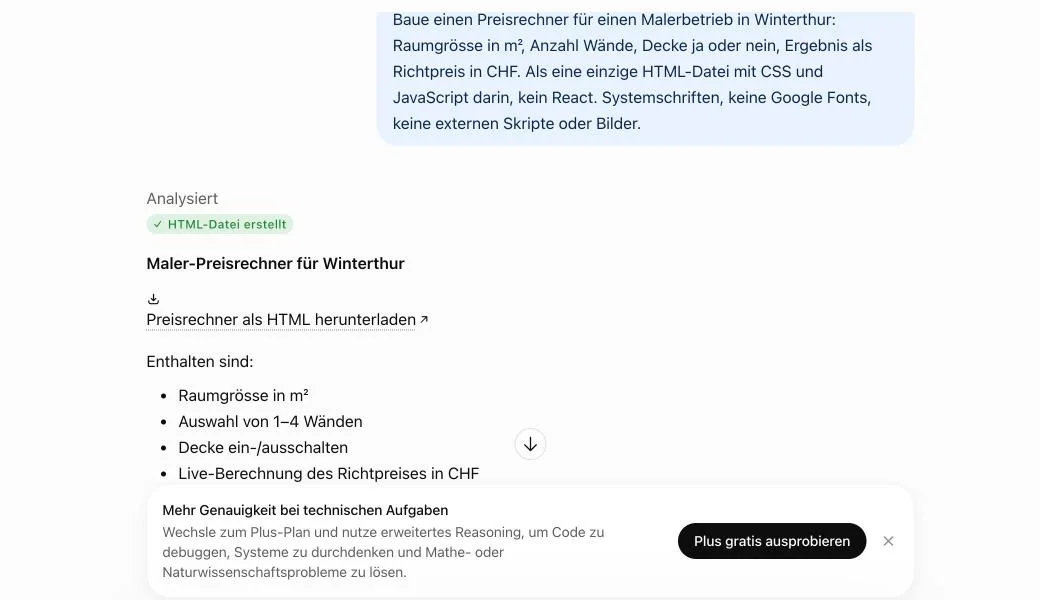
- If ChatGPT made a file, you'll see "HTML file created" and a download link. You can upload that file to sharepa as it is. To see the code instead, use the "Code block instead of a download" prompt.
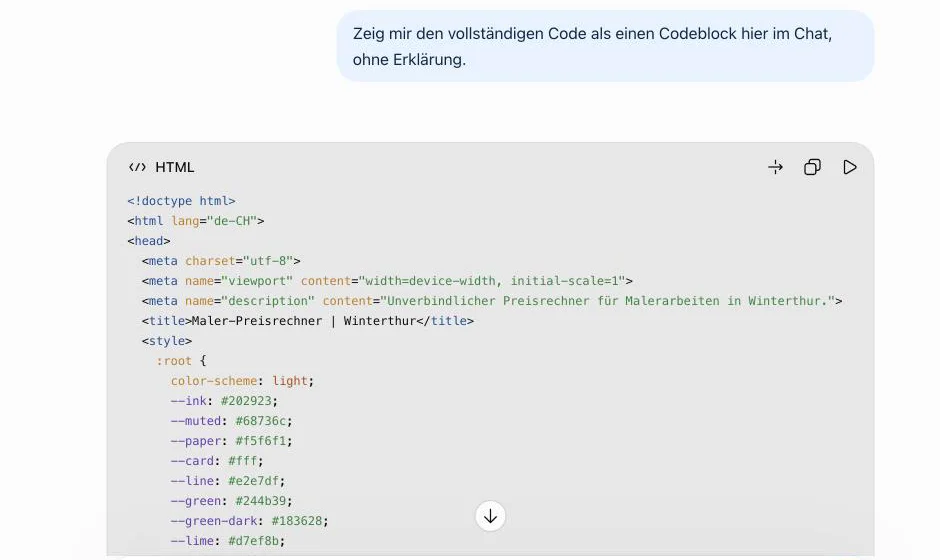
- In the code block, click Copy code in its header. The triangle next to it shows the page as a preview right in the chat.
- Put the code or the file into app.getsharepa.ch/neu. The preview shows the page as visitors will see it.
- Pick an address such as
painter-winterthur.sharepa.pageand go live.
Prompts to copy
Price calculator
One-page site for a shop
Code block instead of a download
Tips for ChatGPT
"File" means download
With "a single HTML file" in the prompt, ChatGPT on the free plan ran code and created a file. Say "in a code block" if you want the preview in the chat.
The wrong copy icon
Under every answer there's a second copy icon. It copies the whole answer as text, not the code. In our test that put a bullet list into the preview instead of a page. Use Copy code in the code block's header.
React from the preview
If ChatGPT builds a React component with imports like @/components/ui, it won't run outside ChatGPT. "No React" in the prompt avoids that.
Publish straight from ChatGPT
With the sharepa connector you say "put this online" in the chat and the page goes live, no copying. It runs through ChatGPT's developer mode and worked with a free account in our test. Setup: Connector for ChatGPT.
ChatGPT Sites or sharepa
| Feature | ChatGPT Sites | sharepa |
|---|---|---|
| Plan | Plus and up | Free, 3 pages |
| Public without an account | Yes, if you allow it | Yes |
| Address | ….chatgpt.site | name.sharepa.page |
| Custom domain | Yes | Yes, one on the free plan |
| Password | No, only sign-in with ChatGPT | Yes, also free |
| Analytics | Yes | Yes, without cookies |
| Database | Yes | No, form entries in the app |
| Pages from other chats | No | Yes |
With Plus and a page that has to store data, such as a team tracker, ChatGPT Sites is the shorter route.
Questions
Can ChatGPT build a website for free?
Yes. You get the code or the file on the free plan. Putting it online from ChatGPT needs Sites, which starts at Plus, or a service like sharepa.
What happened to Canvas?
OpenAI switched Canvas off for the current models on 28 May 2026. Code and preview now live in code blocks in the chat.
Does it have to be a single file?
Yes. sharepa takes one HTML file or one code block, not a bundle of several files.
Sources
- OpenAI: ChatGPT release notes
- OpenAI: Creating and using ChatGPT Sites
- OpenAI: Developer mode and MCP apps
- Basics for every chat: Build a website with AI
Tested with a free account on 7 November 2026. ChatGPT Sites is described from OpenAI's documentation; we did not test it with a Plus account.