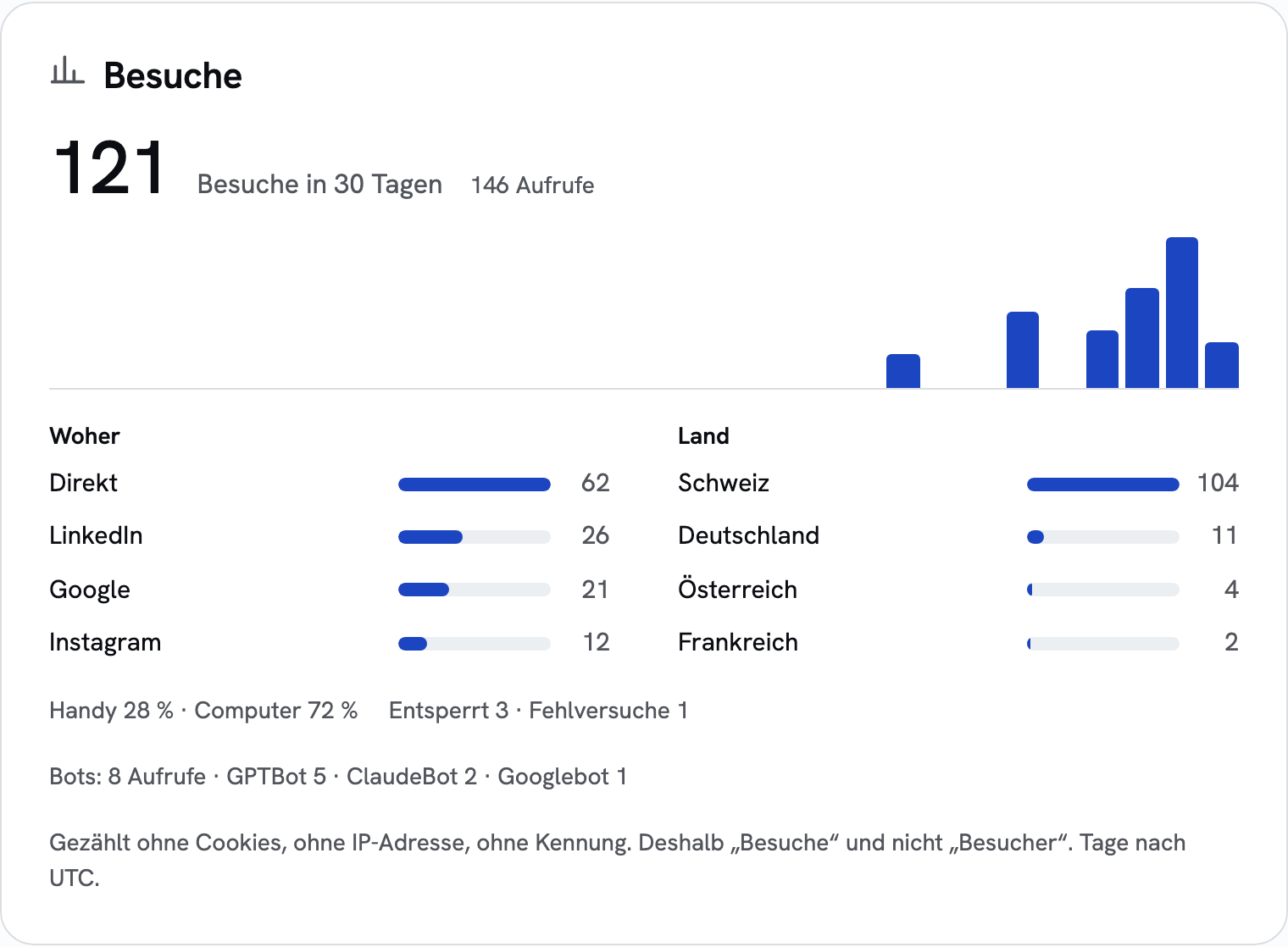
sharepa shows you, for each page, how many visits it gets, where they come from and from which countries. Nothing is stored in your visitors' browsers, so you don't need a cookie banner. Every page has analytics, including on the free plan.
What you get
- Know if your link landed: the day after sharing, you see whether anyone opened the page.
- Know what works: see whether LinkedIn, a newsletter, Google or ChatGPT brings people in, campaign by campaign.
- No banner scaring guests off: your page opens without a consent pop-up.
- Honest numbers: search engines and bots are counted separately and don't inflate anything.
- Right in the chat: ask Claude or ChatGPT "How is my page doing?" and get the numbers there.
What it can't do
- It can't recognise individual people. It counts visits, not visitors.
- Button clicks and time on page aren't measured.
- Google Analytics and similar tools won't work on your page, because the browser blocks data sent to other servers.
Questions
Do the analytics cost anything?
No, they come with every page. Free accounts see the last 7 days, the one-time plan (CHF 49 once, same amount in EUR) a full year with filters by referrer, campaign, country and device.
Why don't I need a cookie banner?
sharepa counts on its servers, without cookies and without storing IP addresses. Whether anything else on your page needs a banner is covered in the cookie banner article.
How do I measure single posts or newsletters?
Add ?ref= with a word to the link, for example ?ref=linkedin or ?ref=newsletter. The analytics then show how many visits each link brought.