Share an artifact link without it looking like a chat
Updated:
Publish the artifact on sharepa and it gets an address like kochkurs.sharepa.page. The link looks like a website, not like a chat. Whoever opens it needs no account and sees no chat history.
The link your chat tool hands you has three problems. It is long and full of characters nobody types out. It points at the provider's domain, not at yours. And it feels like a work in progress, not like something finished.
How it works
- Open the artifact in the chat and copy its code. In Claude you go to the code view, in other tools you download the file.
- Paste the code at app.getsharepa.ch/neu. You see a preview right away, the way visitors will see the page later.
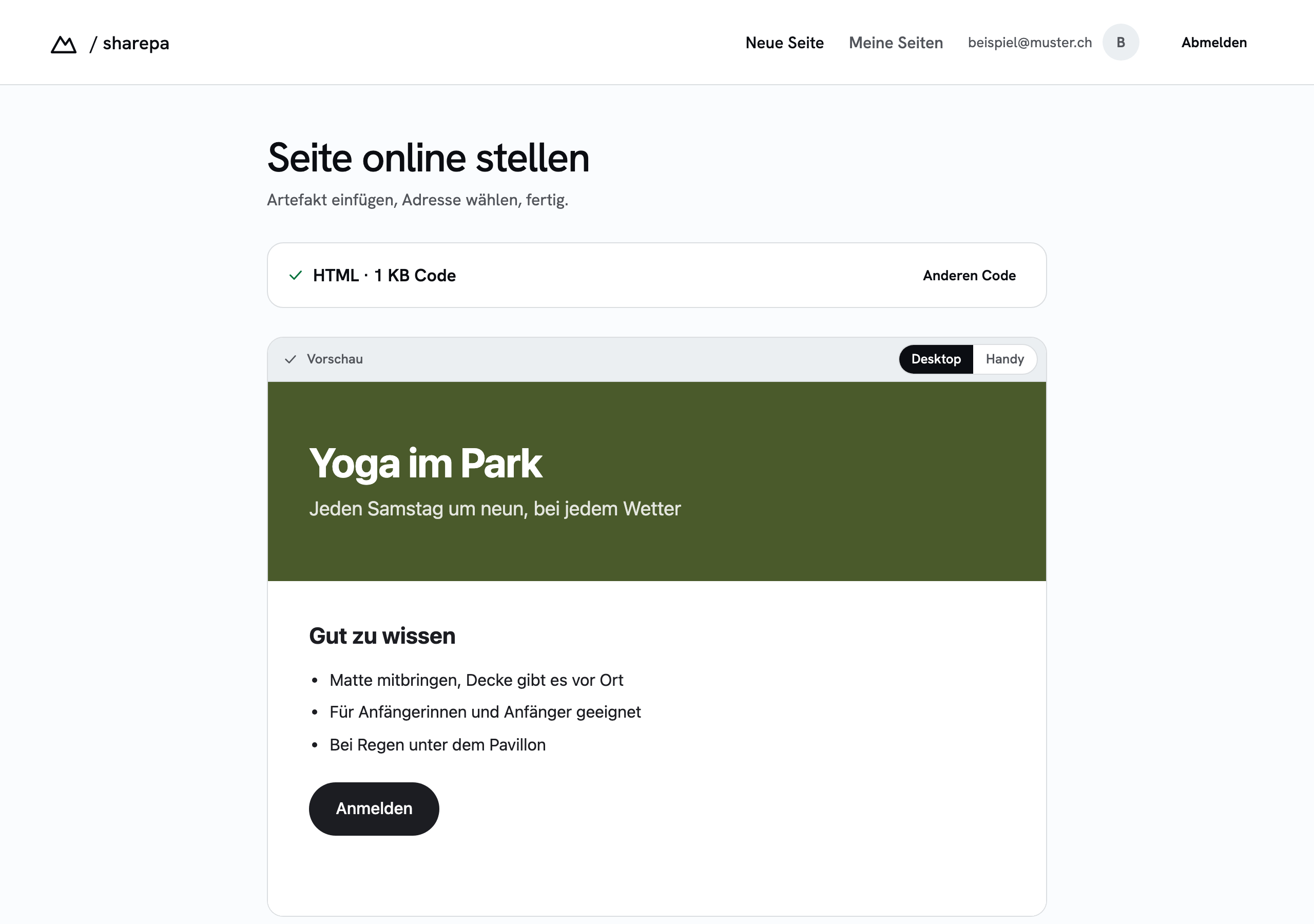
- Pick an address. Allowed are lowercase letters, digits and hyphens, three to forty characters. The app tells you right away whether it is free.

- Publish the page. Only now do you need an account, and an email address with a code is enough for that, no password.
You can pass the link on afterwards, write it in an email or print it on a business card. HTTPS is set up, you do not have to configure anything.
What it costs
Three pages are free, with no time limit. In the bottom right corner there is a small sharepa note. One of those pages may additionally run under your own domain, for example kurse.meineseite.ch. How that works is in the guide on your own domain.
Questions
Does the recipient need an account?
No. The page is a normal website. Whoever opens the link sees the page, nothing else happens.
Does the original chat link keep working?
Yes, sharepa changes nothing about your chat. The published page is a copy of the code at the moment you pasted it. If you change the artifact in the chat later, you have to bring the new version over yourself.
Can anyone see my chat history?
No. Only the code of the artifact that you paste is transferred. Your conversation stays with the provider.
Can I change the link later?
The address of a page stays as long as the page exists. If you want a different address, publish the page under the new address and delete the old one. Existing links then point nowhere, so plan that before you hand the link out.