Connecting your own domain
Updated:
Every page has its sharepa address and runs under name.sharepa.page right away. Your own domain comes on top if you want it, for example www.mysite.com or courses.mysite.com. It takes exactly one record at your domain provider. sharepa gets the certificate for HTTPS itself.
The one record
In the app you type your domain into the page view under “Your own domain”. sharepa then shows you this record:
Type    CNAME
Name    www
Target  domains.sharepa.page
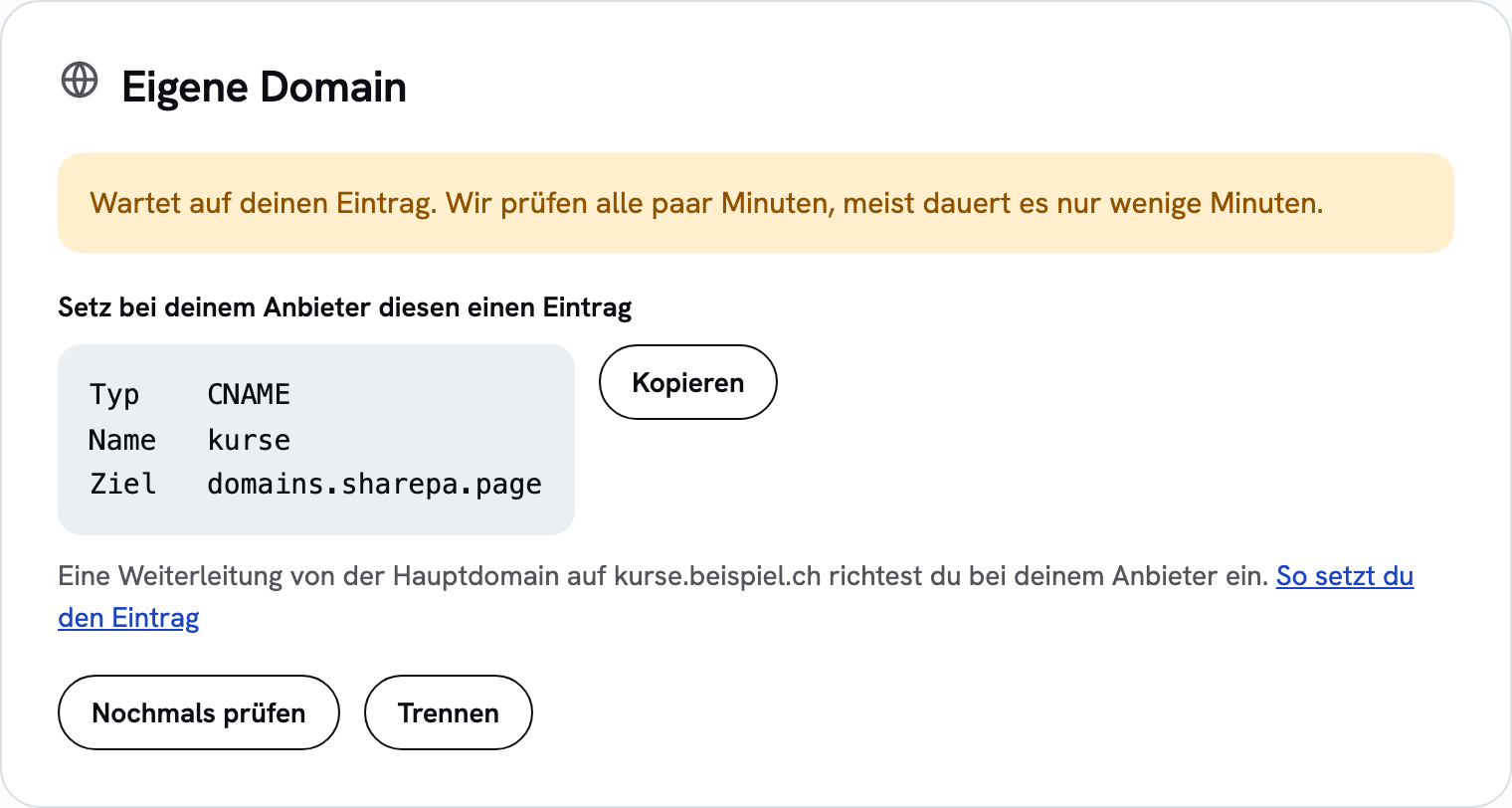
“Name” is the part in front of your domain: with www.mysite.com it is www, with courses.mysite.com it is courses. The target is always domains.sharepa.page. A CNAME tells the internet: “This address is to be found at sharepa.” Nothing more happens, your domain stays with your provider, and all other records (email, other subdomains) stay as they are.
At Infomaniak
- In the Manager under “Domains” open your domain, then “DNS zone”.
- “Add record”, pick type CNAME.
- Under “Source” or “Name” enter the name (e.g.
www), under “Target” enterdomains.sharepa.page. - Save. If a record with the same name already exists (often with
www), delete or replace it first.
At Hostpoint
- In the Control Panel under “Domains” open your domain, then “DNS settings” or “Manage DNS”.
- “New record”, type CNAME.
- Enter the name (e.g.
www), as the valuedomains.sharepa.page. - Save and apply the changes.
At cyon
- In my.cyon under “Domains” pick the domain, then “DNS records”.
- “Add record”, type CNAME.
- Enter the name (e.g.
www) and the targetdomains.sharepa.page, save.
At Cloudflare
- In the dashboard open the domain, then “DNS” → “Records”.
- “Add record”, type CNAME, name (e.g.
www), targetdomains.sharepa.page. - Turn the proxy switch (orange cloud) off, so “DNS only”. Save.
At Cloudflare the root domain without www works too: name @, target domains.sharepa.page.
Root domain without www
A domain without a subdomain (mysite.com instead of www.mysite.com) is not allowed a CNAME under the DNS rules. Cloudflare and some other providers work around that, Infomaniak and Hostpoint do not. The usual way: connect www.mysite.com to sharepa and set up a redirect at your provider from mysite.com to www.mysite.com. All the big providers can do that in a few clicks.
What it costs
Nothing. One page under your own domain is included in the free tier, certificate included. You rent the domain itself from your provider as before, sharepa changes nothing about that. In the one-time plan it is up to five pages under your own domains.
Questions
How long does it take?
Usually a few minutes, sometimes up to an hour until the record is known everywhere. sharepa checks every few minutes. As soon as the domain is active it says so in the app, and you get an email. Until then the app says “Waiting for your record”. If sharepa finds no record after seven days, it tells you that too.
Does the sharepa address stay reachable?
Yes. The page keeps running under both addresses. In the app you pick which one counts as the main address.
What if it does not work?
Check three things first: a typo in the target, it is exactly domains.sharepa.page. Another record with the same name (A, AAAA or CNAME), that one has to go. And at Cloudflare the proxy, which has to be off (“DNS only”). Otherwise: email hallo@getsharepa.ch with the domain and the provider, we will look into it.
Can I disconnect the domain again?
Yes, any time in the app. The page stays reachable under its sharepa address, and the domain is free again for another page.
Provider menus change now and then. If something no longer matches, let us know.