Publishing from the chat
Updated:
You can connect sharepa to Claude. Then you say “publish this on sharepa” in the chat, and your page is live. No copying, no pasting. Connecting takes a minute and works for everyone, including the free tier.
How it works
- In Claude open the settings, then “Connectors” and “Add connector”.
- Enter this address:
https://app.getsharepa.ch/mcp - Claude sends you to sharepa. Sign in if you are not signed in yet, and tap “Allow”.
After that sharepa is available in Claude. In the chat one sentence is enough:
Publish this on sharepa as kochkurs
If you leave the address out, sharepa suggests one from the title. If you want to change an existing page, name its address: it then becomes a new version, and the link stays the same.
What the connector can do
- Publish pages and upload new versions.
- Read the visit numbers of your pages.
- Set or remove a page password.
- Connect your own domain and show you the record you need.
- Read the source code of a page.
What it cannot do
- Delete pages. That only works in the app.
- Disconnect a domain.
- Change or delete your account.
That way a chat that goes off the rails cannot break anything you cannot restore yourself.
Passwords in the chat
A password you set in the chat is then in the chat history. If you share or export the chat, you share it too. Better set the password in the app, in the page view.
What it costs
Nothing. The connector is included in the free tier. The same limits apply as in the app: 3 pages, 1 page under your own domain. Plus 30 new versions per day, from the chat and the app together, and 500 requests per day for page lists and statistics. Normal use runs into none of this. If you need more, write to us.
Disconnecting
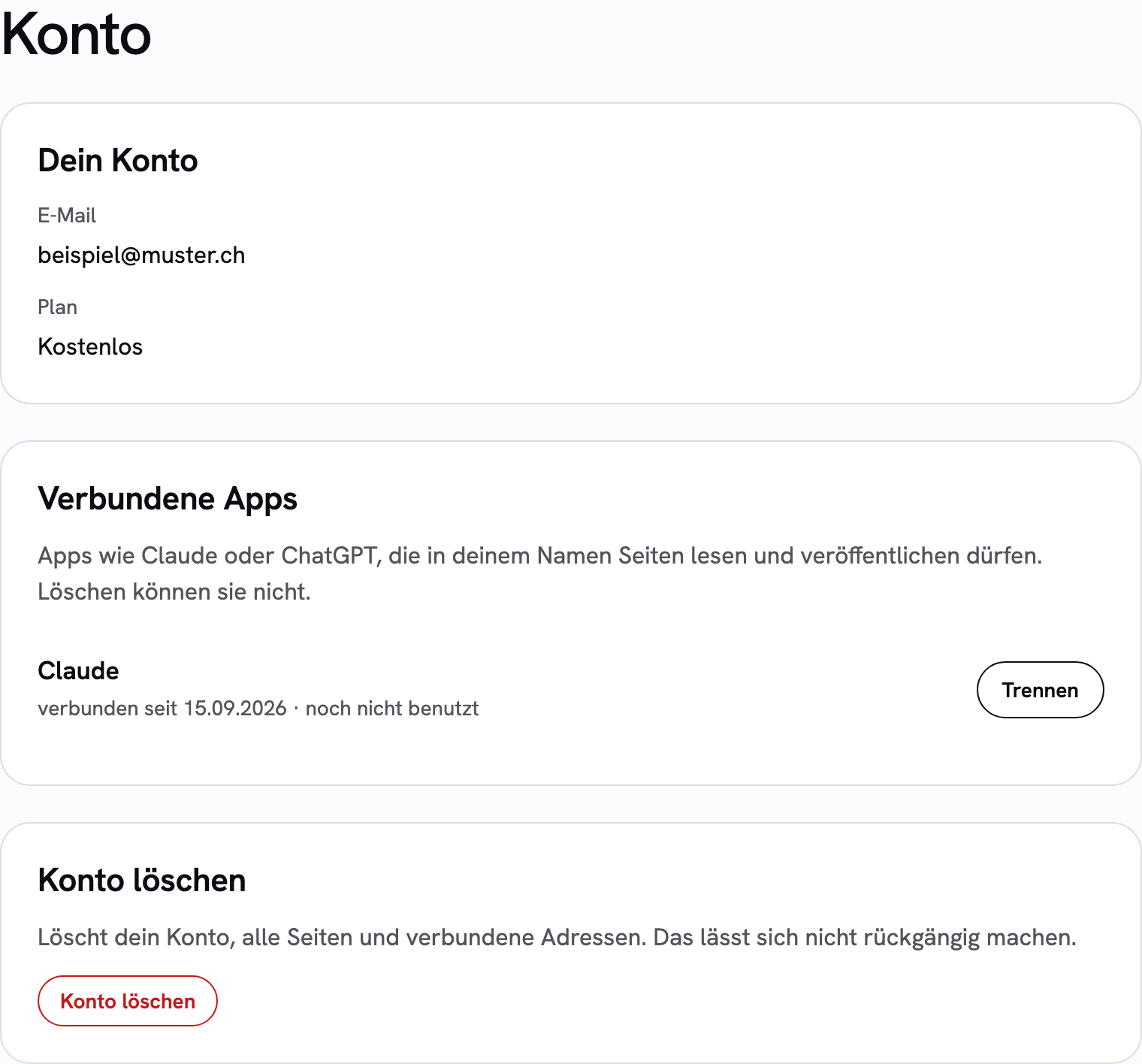
Your connected apps are listed under app.getsharepa.ch/konto. One click on “Disconnect” and the access is gone immediately. Your pages stay as they are.
Questions
And ChatGPT?
ChatGPT will follow. The connector speaks the same open standard, we are checking the connection there at the moment. It does not work in ChatGPT right now. Until it does, the way is copy and paste in the app, which also only takes a moment.
Does Claude see my other pages?
Only those of your account, and only if you ask. The connector reads title, address, status and visit numbers. Other people's accounts are not visible to it.
Do I have to renew the permission?
No. The connection stays until you disconnect it under “Account”. If you delete your account or it gets blocked, the access is gone immediately.
Menus change now and then. If something no longer matches, let us know: hallo@getsharepa.ch