Protect an artifact with a password instead of just hiding the link
Updated:
Anyone with the link can see a publicly shared artifact. The link is long and hard to guess, but that is no protection: whoever forwards it opens the page for everyone. If you want to control who looks inside, you need a password.
This difference is easy to miss. “Not findable” and “protected” are two different things. A link ends up in a chat history, in a forwarded email or on a clipboard, and from there it travels on without you hearing about it.
How it works
- Publish the page as usual.
- Open it in the app under “My pages”.
- Set a password in the password section. Four to sixty-four characters. sharepa suggests one if you cannot think of any.
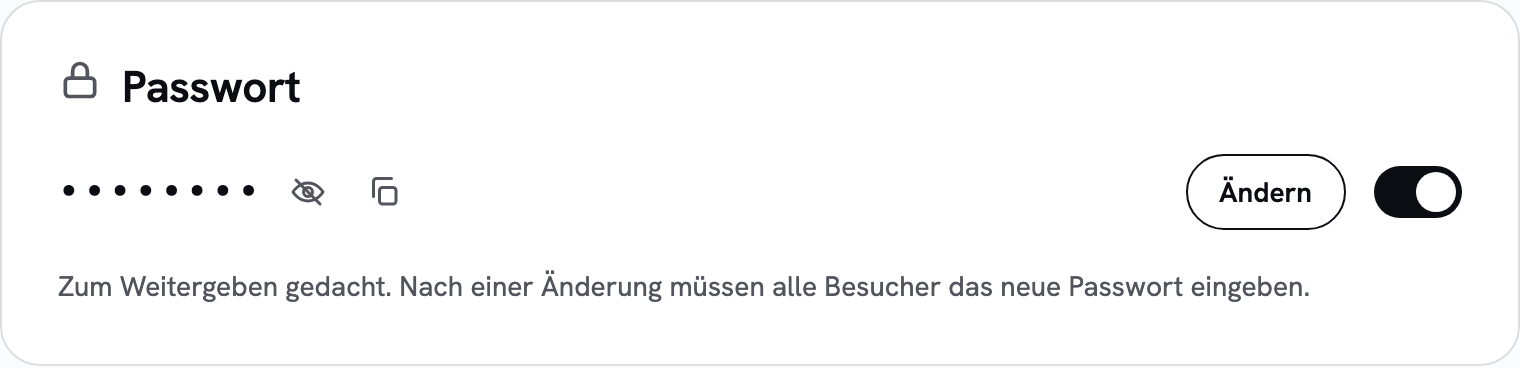
- Done. Visitors now see an input field first. After the correct entry their browser remembers it for thirty days, they do not have to type it on every visit.
You can change or remove the password at any time. If you change it, all visitors have to enter it again. The app shows you the password you set, so you do not have to remember it.
What it costs
Nothing, password protection is included in the free plan.
Questions
How secure is this?
It keeps out people who should not see the page, and it keeps out search engines. It is not a replacement for a real sign-in with user accounts. Whoever knows the password sees everything on the page and can pass it on. So do not put anything on such a page that really has to stay secret, such as credentials or health data.
Will the page still end up on Google?
No. Visitors without the password only see the input field, and that goes for search engines too.
Can I give different people different passwords?
No, there is exactly one password per page. If you want to distinguish who sees what, a page with a password is the wrong tool, then you need an application with real user accounts.
What happens if somebody guesses the password?
sharepa allows only five attempts per minute per page and sender. Working through systematically becomes uselessly slow that way. Still, do not pick a word that anyone would type first.
Can I see how often somebody unlocked the page?
Yes. The statistics list successful and failed entries separately.