Want to use sharepa straight from the chat? How to connect Claude or ChatGPT
An email field in the middle of a landing page should not send the visitor away. They type their address, press the button, and in the same spot it says “Thanks, you are on the list”. The addresses land in your app, as a table and as CSV.
On sharepa that takes a few lines, which your chat writes for you. You only have to tell it that the page should stay put.
How it works
- Describe your page to the chat and append the prompt add-on from the next section. An example:
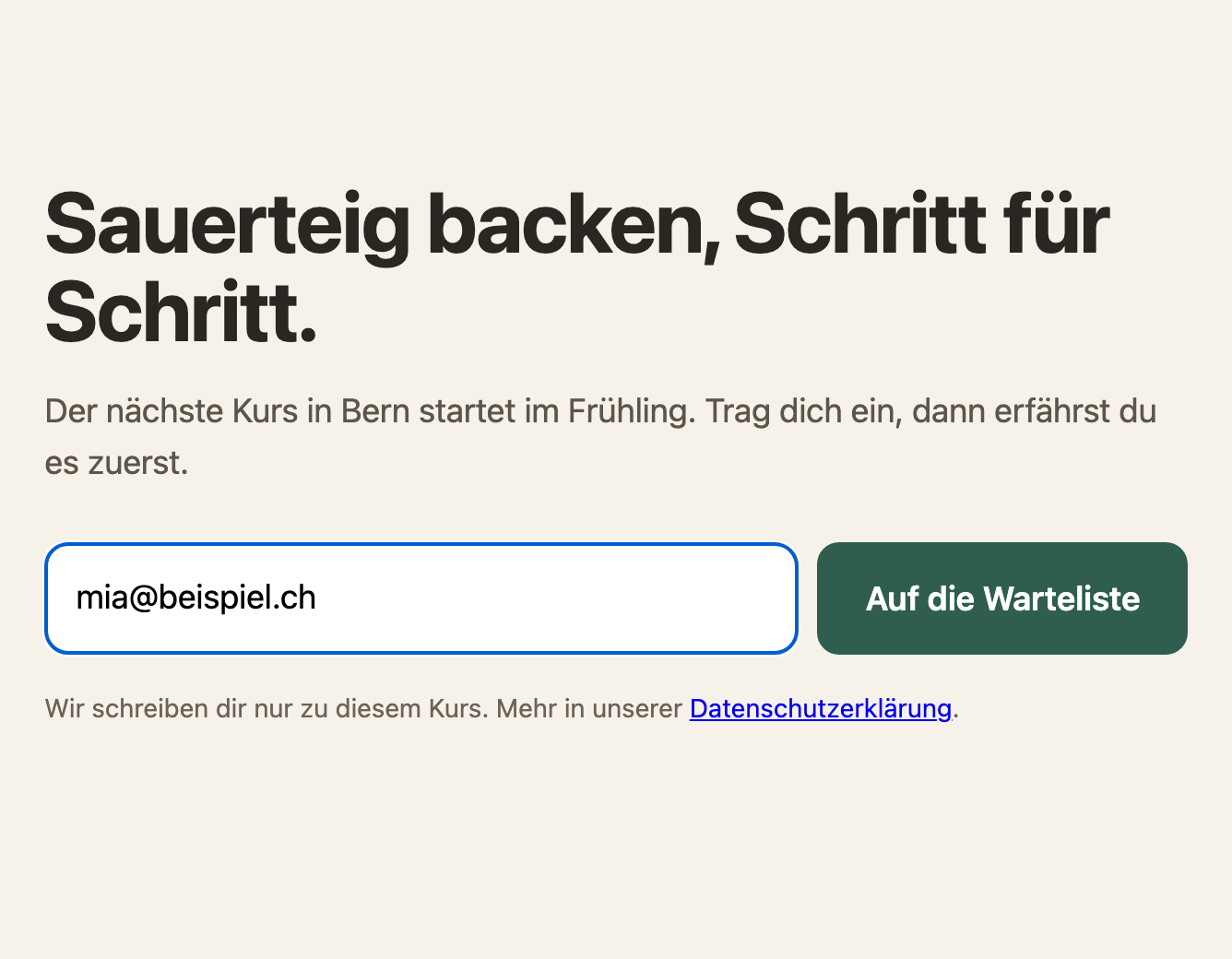
Build a landing page for my sourdough class in Bern.
Big headline, two sentences, below that a field for the email address and the button “Join the waiting list”.
After submitting, the field should be replaced by “Thanks, you are on the list”.
- Paste the code on app.getsharepa.ch. Below the preview it says in green “This page collects form entries”.
- Publish the page and sign up once yourself. The page does not reload, the field turns into your “Thanks”.
- Under “My pages” your address is in the “Entries” tab. Delete the test again.
Prompt add-on to copy
Technical requirements for the sign-up field (the page is hosted on sharepa):

- The form has action="/__sharepa/formular" and method="post" and a real submit button (type="submit"). That way it also works without JavaScript.

- With JavaScript the page stays put: intercept the submit (preventDefault) and send with fetch(form.action, { method: "POST", headers: { accept: "application/json" }, body: new URLSearchParams(new FormData(form)) }). Do not use any other service or address.

- If the response is ok (r.ok), replace the form with a thank-you message (role="status"). Otherwise show a short error message (role="alert") and enable the button again.

- Disable the button while sending so that nobody submits twice.

- The field is called name="email" and has type="email" and required. The field names become the column titles in my table.

- Add a hidden field against bots: <input type="text" name="_honig" tabindex="-1" autocomplete="off" aria-hidden="true" style="position:absolute;left:-9999px">

- Optional: <input type="hidden" name="_formular" value="Waiting list"> names the form.

- Below the field, add a short sentence saying what I use the address for, with a link to my privacy policy. No mandatory checkbox.
Without JavaScript: jump to a section of your page
If you like it plain, leave the script out. A hidden field sends the visitor to a section of your own page after submitting, instead of sharepa's thank-you page:
<input type="hidden" name="_weiter" value="/#thanks">
Somewhere on the page you then need a section with id="thanks" that holds your thank-you. The page reloads once and jumps there. Only paths of your own page are allowed, that is, values starting with /.
Waiting list yes, newsletter with care
For a waiting list, a pre-registration or “let me know” this is exactly right: you collect addresses and write to people once, when the time has come.
For a newsletter that you send regularly, one step is missing. Whoever signs up with you gets no email from sharepa, not even one to confirm the address. Newsletter services send this confirmation on their own, and in many places only that counts as proof that somebody really agreed. Use the sign-up form of your newsletter service for that and build it into your page. sharepa leaves forms with their own target alone; the addresses then land at the service and not in your app.
What it costs
Nothing. The limits for forms apply: free are 50 entries per page and day and 200 per account in 30 days. Once the limit is reached, your script gets an error response and shows its error message.
Questions
Why do I still see sharepa's thank-you page after submitting?
Then the script is not running, and the form submits the ordinary way. Usually the submit is not intercepted, or the script sits before the form and cannot find it yet. Give the chat the add-on above and tell it that the page should stay put after submitting.
Does this work in a React artifact too?
Yes. There the chat usually sends with fetch and JSON and shows its own state afterwards. sharepa accepts both. The preview warns you if the form sends nowhere.
Do I get an email for every sign-up?
For the first one within five minutes, after that at most one per hour with the number of new entries. The addresses themselves are never in the email, only in the app.
Can somebody sign up twice?
Yes, sharepa does not check for duplicate addresses. After downloading you sort them out in your spreadsheet with one click.
Can I move the list into my newsletter service later?
Technically yes, as CSV. But ask people again whether they want the newsletter: they signed up for a waiting list, not for regular mail.