Want to use sharepa straight from the chat? How to connect Claude or ChatGPT
Microsoft Copilot writes you a complete page as HTML if you ask, but shows it only as a code block in the chat. Putting it online is up to you. The shortest way: copy the code, paste it at sharepa, pick an address. The page then runs under name.sharepa.page.
This works the same in Copilot in the browser, in the Windows app and in the Edge sidebar, because the code is always a block of text in the end.
How it works
- Ask Copilot for a single HTML file. A sentence like "write the whole page as one HTML file with the CSS and JavaScript inside" helps, otherwise Copilot likes to spread the code over three blocks.
- Copy the code block. There is an icon for that at the top right of the block.
- Open app.getsharepa.ch/neu and paste the code.
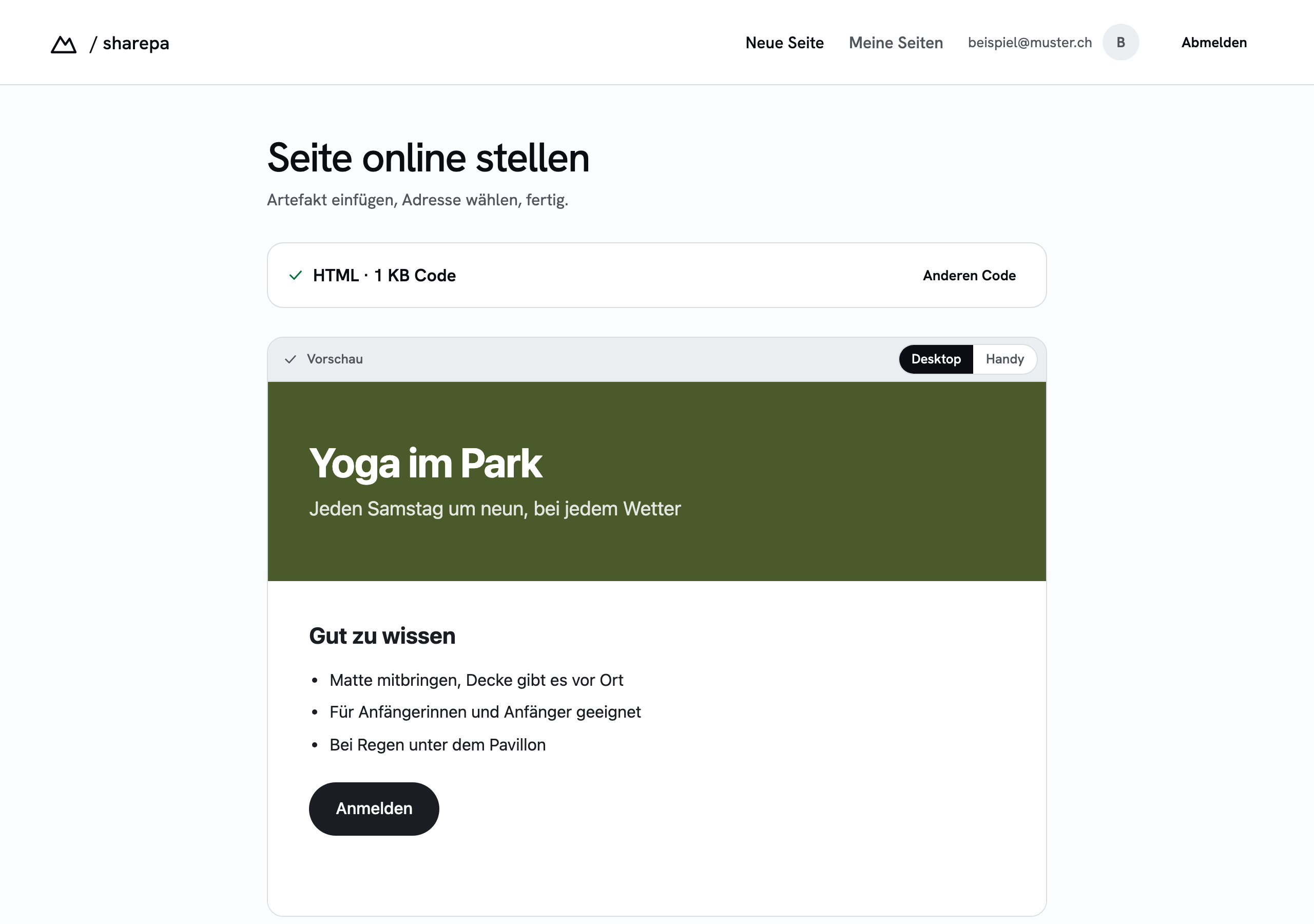
- Check the preview. If something is missing, tell Copilot and paste the new code. The preview updates right away.
- Pick an address, go live, confirm your email.
What to watch out for with Copilot
Copilot likes to shorten long answers with "... rest as above". Then a piece of the file is missing and the preview shows half a page. In that case ask for the complete file without omissions.
Copilot does not invent images, it inserts placeholder addresses. Replace them with real image addresses, otherwise grey boxes remain. Fonts from Google Fonts work because they load from an address.
For pages with React or other libraries the same applies as with Claude: sharepa builds them when you publish, as long as the library is one of the supported ones.
What it costs
The free version of Copilot is enough for a page of this kind. At sharepa three pages are free, with password and certificate, one of them under your own domain.
Questions
Can Copilot publish the page directly?
No. Copilot has no place where pages run publicly. The code block is the end, you take it from there.
Does this work with Copilot in Microsoft 365 too?
Yes, the code arrives as a block just the same. Only note that company policies may restrict copying from the chat.
And if I want to change something later?
Paste the new code and publish again. The address stays, the link you handed out points to the new version.