Want to use sharepa straight from the chat? How to connect Claude or ChatGPT
A single HTML file needs no server of your own and no hosting contract. There are services where you upload the file or paste its contents and get an address right away. sharepa is one of them: file in, pick an address, live. Whether that is the right way depends on what you plan to do with the page.
Three ways, briefly
Paste the file and pick an address. That is the sharepa way. It fits when the page is one file, perhaps with images loaded by link, and you want a clean address, optionally with a password. No account until you publish, no Git, no terminal.
Drag and drop a folder. Services like Netlify Drop take a whole folder with several files. That fits when your page consists of several files, say HTML plus CSS plus images in subfolders. You need an account there too these days, and sites without an account expire after a while.
Publish a repository. GitHub Pages, Cloudflare Pages or Vercel build the page from a Git repository. That is the right way if you work with Git anyway and keep developing the page. For a single file it is a lot of setup.
How it works with sharepa
- Open app.getsharepa.ch/neu. Drag the HTML file into the field, or open it in an editor and paste the contents.
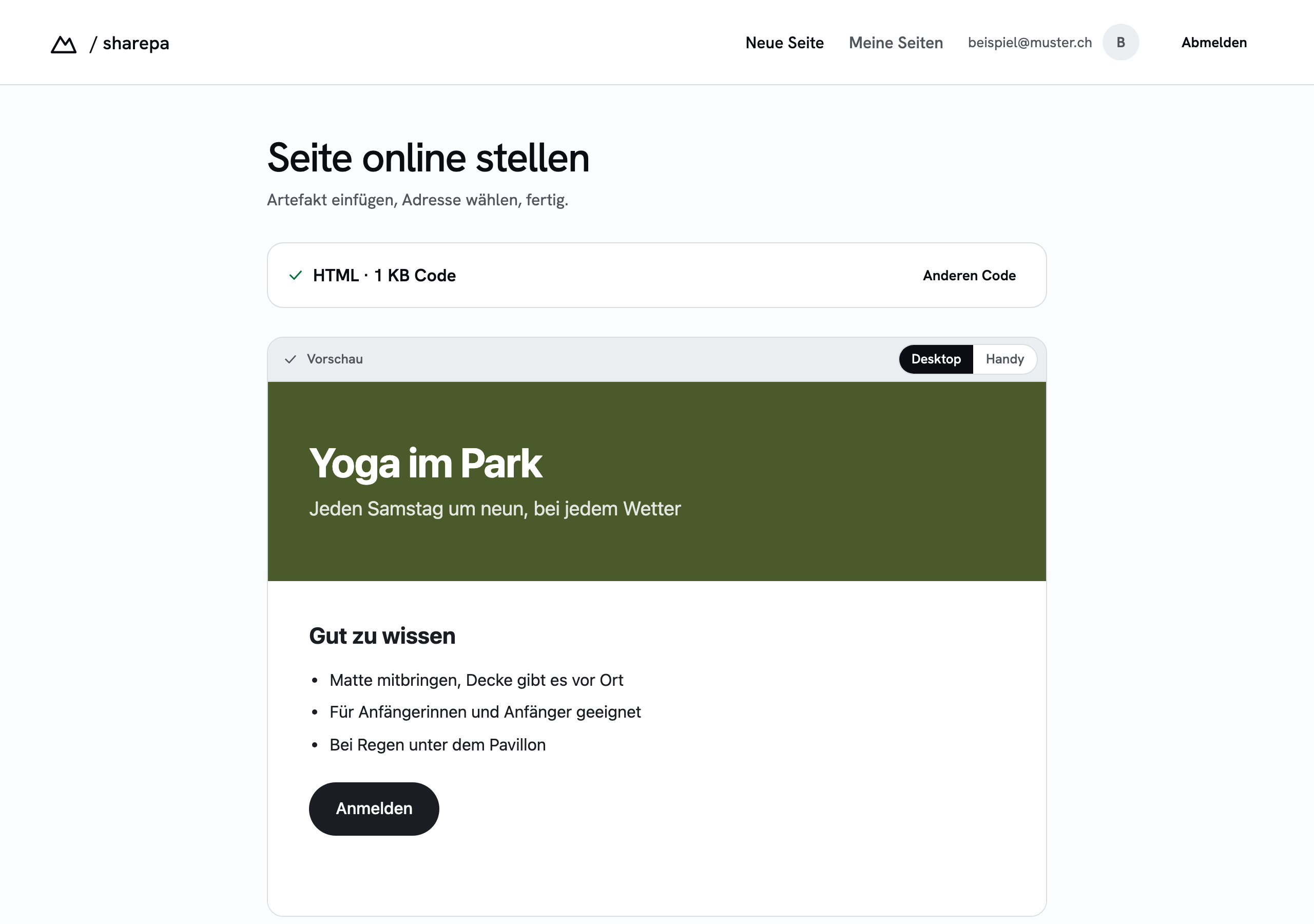
- The preview shows the page the way visitors will see it. If an image or a font is missing, you see it here.
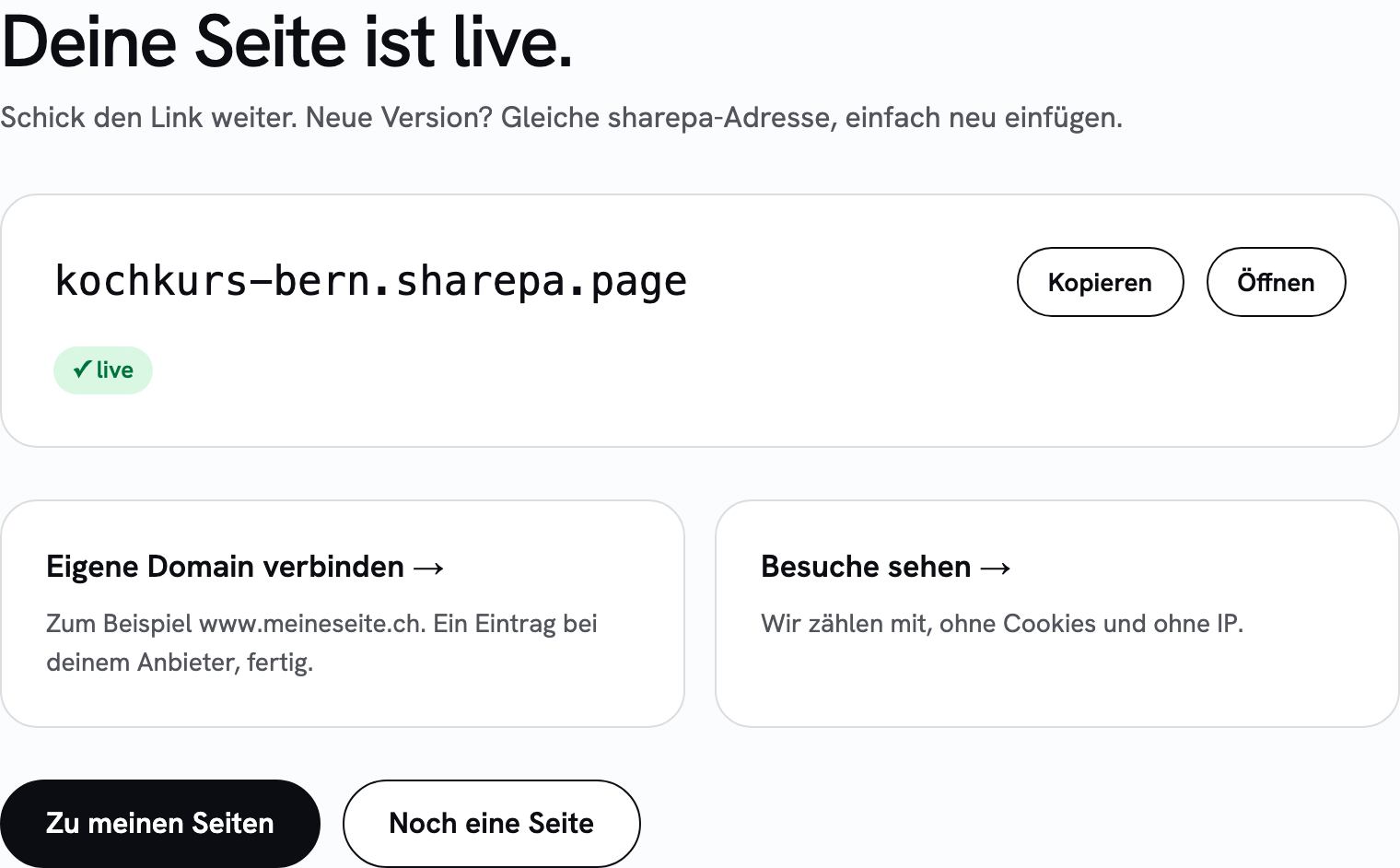
- Pick an address. It becomes
name.sharepa.page. You can attach your own domain later. - Click "Go live" and confirm your email address with the code you receive.
What the file may contain
Anything a browser can read from a single file: HTML, CSS in a <style> block, JavaScript in a <script> block. Images and fonts have to load from an address on the web or sit inside the file as data URLs. Uploading your own files alongside is not possible at sharepa, that is the limit compared with a folder upload.
What it costs
Three pages are free, with no expiry, with a small sharepa note in the bottom right corner. One of them can run under your own domain. For more pages there is the one-time plan.
Questions
Do I have to create an account?
Only when you publish, and only with an email address. There is no account password, you get a code by email each time you sign in.
Can I replace the file later?
Yes. Paste the new file, publish again, the address stays. The link you handed out then points to the new version.
Does a page with several files work too?
Not as an upload. If CSS and JavaScript sit inside the HTML file and images come from an address, yes. Otherwise a folder upload at another service is the better way.