Want to use sharepa straight from the chat? How to connect Claude or ChatGPT
If you want to share a Claude chat, there are two ways. The share button in the chat shows the whole conversation. If you only want to show the result, the page Claude or ChatGPT built, put it online with sharepa. It gets an address like kochkurs.sharepa.page.
Claude calls this result an artifact, ChatGPT calls it a canvas: the page, calculator or form that appears next to the chat. Whoever gets your link usually wants to see exactly that, not the conversation that led to it.
Share the whole Claude chat or only the result?
Sharing the whole chat works in both tools without sharepa. In Claude, click "Share" at the top right and then "Share" again. Anyone with the link sees every message up to that moment, including artifacts (Anthropic's help page). In ChatGPT, choose "Share" and then "Create link" or "Copy link" (OpenAI's help page). In company accounts of both providers, such links only work inside the company.
Sharing only the result is the way to go when the recipient should see a finished page: no chat history, no hint of the provider, under a short address. That is what sharepa is for.
How it works
The fastest way is from the chat itself. Once sharepa is connected in Claude or ChatGPT, you write "Put this online" and the chat publishes the page for you. Connecting takes a minute and is described in the guide to publishing from the chat.
Without a connection, you copy the code by hand:
- Open the result in the chat and copy its code. In Claude you switch to the code view, in other tools you download the file.
- Paste the code at app.getsharepa.ch/neu. You immediately see a preview, the way visitors will see the page later.
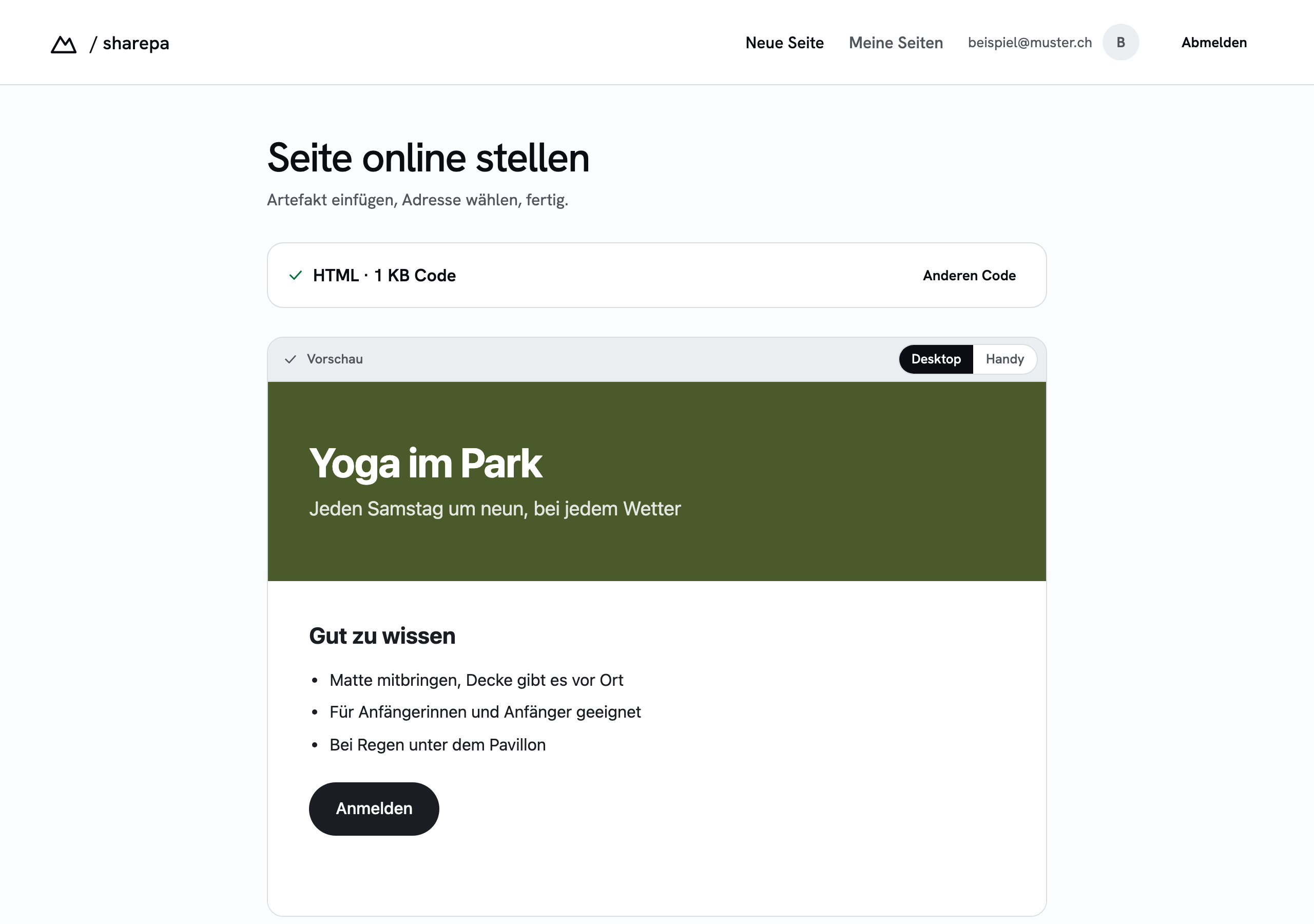
- Pick an address. Lowercase letters, digits and hyphens are allowed, three to forty characters. The app tells you right away whether it is free.

- Put the page live. Only now do you need an account, and an email address with a code is enough, no password.
You can then put the link in an email or a chat or print it on a business card. HTTPS is set up, there is nothing to configure. If not everyone with the link should see the page, give it a password.
What it costs
Three pages per account are free, with no time limit. A small "Made with sharepa" note sits in the bottom right corner. One of these pages may also run under your own domain, such as courses.mysite.com; the guide to your own domain shows how.
If you need more, you pay once for the one-time plan: 50 pages, five of them under your own domain, without the note. No subscription.
Questions
Can I send a Claude chat to someone who doesn't have Claude?
Yes. According to Anthropic, anyone with the link can open a shared chat. A page on sharepa is a normal website: whoever opens the link needs neither a Claude account nor a sharepa account.
Does the recipient see my chat?
With the share button in the chat, yes, every message up to the moment you shared. With sharepa, no: only the code you paste or the chat publishes is transferred. Your conversation stays with the provider.
Does the original chat link keep working?
Yes, sharepa changes nothing in your chat. The published page is a copy of the code at the time of publishing. If you change the result in the chat later, you upload the new version; the guide Changing a published page shows how.
Can I change the link later?
The address of a page stays as long as the page exists. If you want a different address, publish the page under the new address and delete the old one. Existing links will then lead nowhere, so plan this before you hand out the link.