Want to use sharepa straight from the chat? How to connect Claude or ChatGPT
The favicon is the little icon in the browser tab, in bookmarks and in the history. It is how visitors find your page again when ten tabs are open.
Every page on sharepa has one, even if you do nothing: the tab then shows the first letter of your title in a coloured circle. "Autumn cooking class" becomes an "A". If you want your own icon, there are two ways.
Way 1: an emoji right in the page
This works with every plan and takes a minute. In the same chat the page came from, write to the AI:
Add a favicon with the emoji 🍝, as an SVG right in the <head>.
The AI adds a line like this to the head of the page:
<link rel="icon" href="data:image/svg+xml,<svg xmlns='http://www.w3.org/2000/svg' viewBox='0 0 100 100'><text y='.9em' font-size='90'>🍝</text></svg>">
The icon lives inside the line itself. No separate image file is needed, and that matters: a page on sharepa is a single file, so links to favicon.ico or logo.png lead nowhere.
Then publish the page again, as described in keep your artifact up to date. If you copy the line yourself, it goes between <head> and </head>; swap the emoji for any you like.
A React artifact has no <head> that you write yourself. There sharepa shows the letter, or you upload an image (way 2).
Way 2: upload your logo
With the one-time plan you upload an image of your own, such as your logo:
- Open the page in the app under "My pages" and switch to "Settings".
- In the "Favicon" card, click "Upload image" and choose the file.
- In less than a minute the tab shows the new image. No new version of the page is needed.
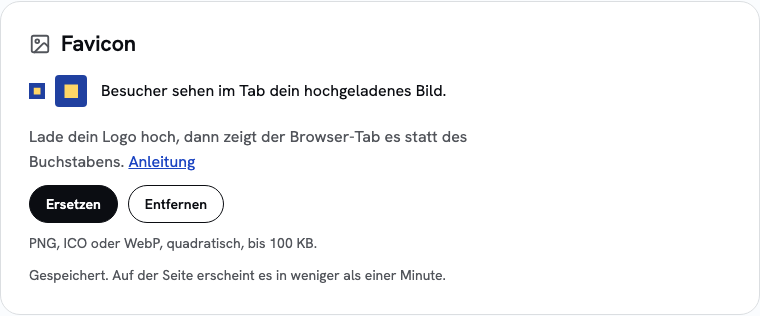
PNG, ICO and WebP up to 100 KB are allowed. Use a square image of at least 64 × 64 pixels; sharepa does not crop anything. SVG cannot be uploaded; an SVG icon works through way 1.
An uploaded image takes precedence: even if the page brings its own icon, the tab shows your logo. "Remove" brings back the page's own icon or the letter.
What it costs
The letter and an icon in the code (way 1) work with every plan, including the free one. Uploading an image (way 2) is part of the one-time plan at no extra cost.
Questions
Why do I still see the old icon?
Browsers hold on to favicons. Reload the page while holding Shift, or open it in a private window.
Does the letter change when I change the title?
Yes, right away. The colour stays the same for each page.
Does the password page show the icon too?
Yes, the letter or your uploaded image. An icon from the page's code is not shown there, because the password page does not reveal the page's content yet.