Build a website with ChatGPT and put it online
Updated:
ChatGPT writes you a finished page, but it does not put it online. You copy the HTML code from Canvas or from the chat window, paste it into sharepa and pick an address. After that the page is reachable under name.sharepa.page.
This goes for anything that ends up as HTML: a landing page, a calculator, a draft form, an overview. What runs in the ChatGPT preview also runs afterwards at your place.
How it works
- Ask for the page as complete HTML. A sentence like “give me this as a single HTML file” is usually enough.
- Copy the code. In Canvas there is a button for it, in the chat you copy the code block.
- Open app.getsharepa.ch/neu and paste it.
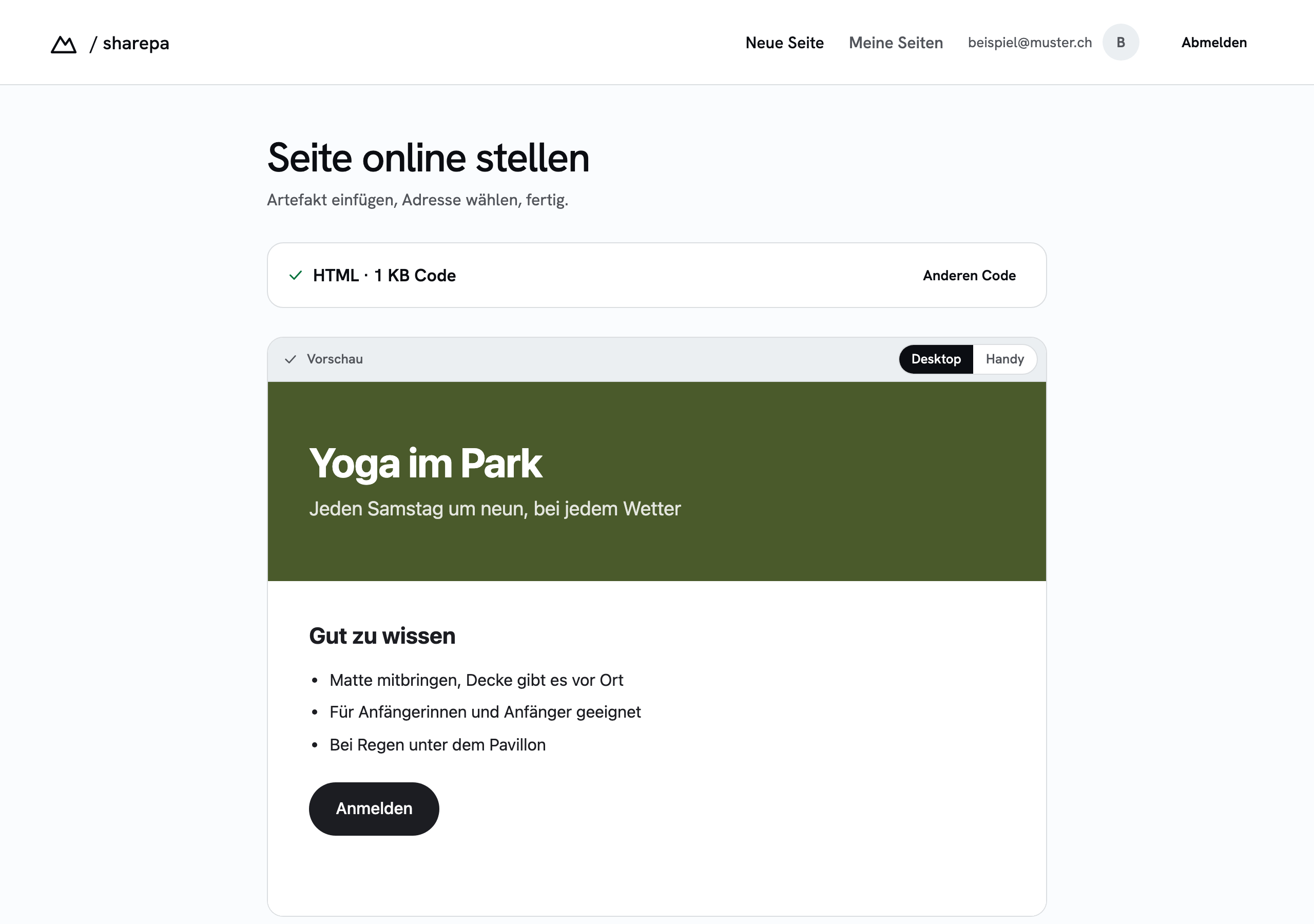
- Look at the preview. It shows exactly what visitors will see later. If something is off, back to the chat, fix it, paste again.
- Pick an address, publish, confirm the email. Done.
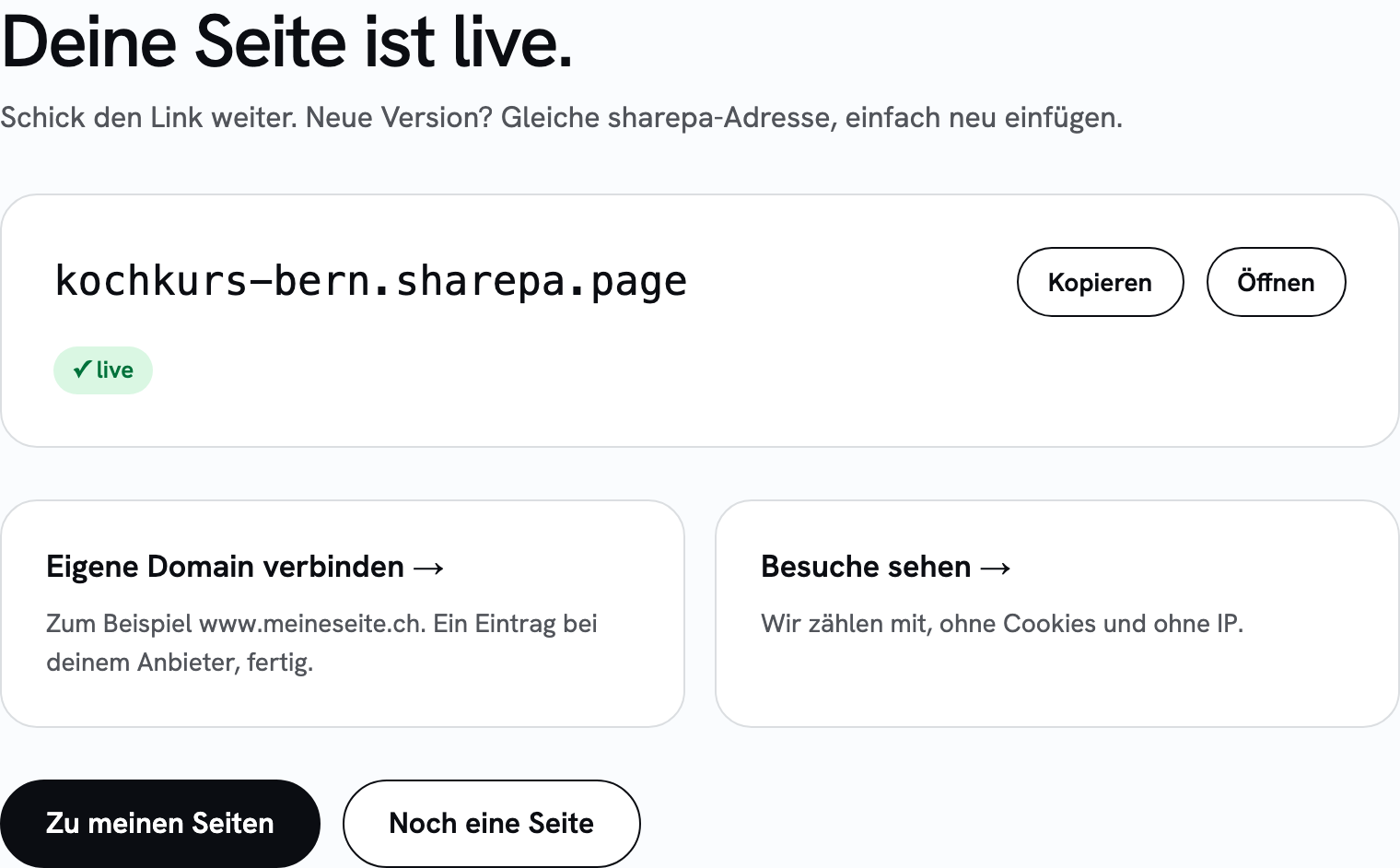
If the code is missing its frame, that is <!doctype html> and a <head>, sharepa adds it when publishing. You do not have to worry about that.
What it costs
Free for three pages, with a certificate, password protection and visit numbers. In the bottom right corner there is a small sharepa note.
Questions
Does it have to be a single file?
Yes. sharepa takes one block of code, not a collection of HTML, CSS and images in separate files. Ask ChatGPT to write styles and scripts into the file. You include images through an address on the web, or leave them out.
Can I drive sharepa straight from ChatGPT?
Not yet. For Claude there is a connector that lets you say “publish this on sharepa” in the chat. For ChatGPT we tested it, and it does not work there at the moment. Until then, copy and paste is the way.
What about files ChatGPT offers as a download?
You can upload those instead of copying the code. There is a line for it in the input field, and you can also just drag the file in. Up to five megabytes.
Do I even need this, or is the ChatGPT link enough?
If you only want to show the page to one person briefly, a shared chat is enough. As soon as somebody opens it repeatedly, passes it on, or is meant to arrive from an ad, you want your own address that does not look like a chat.
And if I need a proper website with several pages?
Then a website builder or your own hosting fits better. sharepa is meant for single pages that come out of a chat.